
REST GET to SOAP Conversion with Membrane API Gateway
How can a SOAP operation be exposed as a REST-style GET API?
Place the Membrane API Gateway between client and service and implement a REST-to-SOAP facade. The gateway converts an HTTP GET request into a SOAP request and transforms the XML response into JSON for the client.
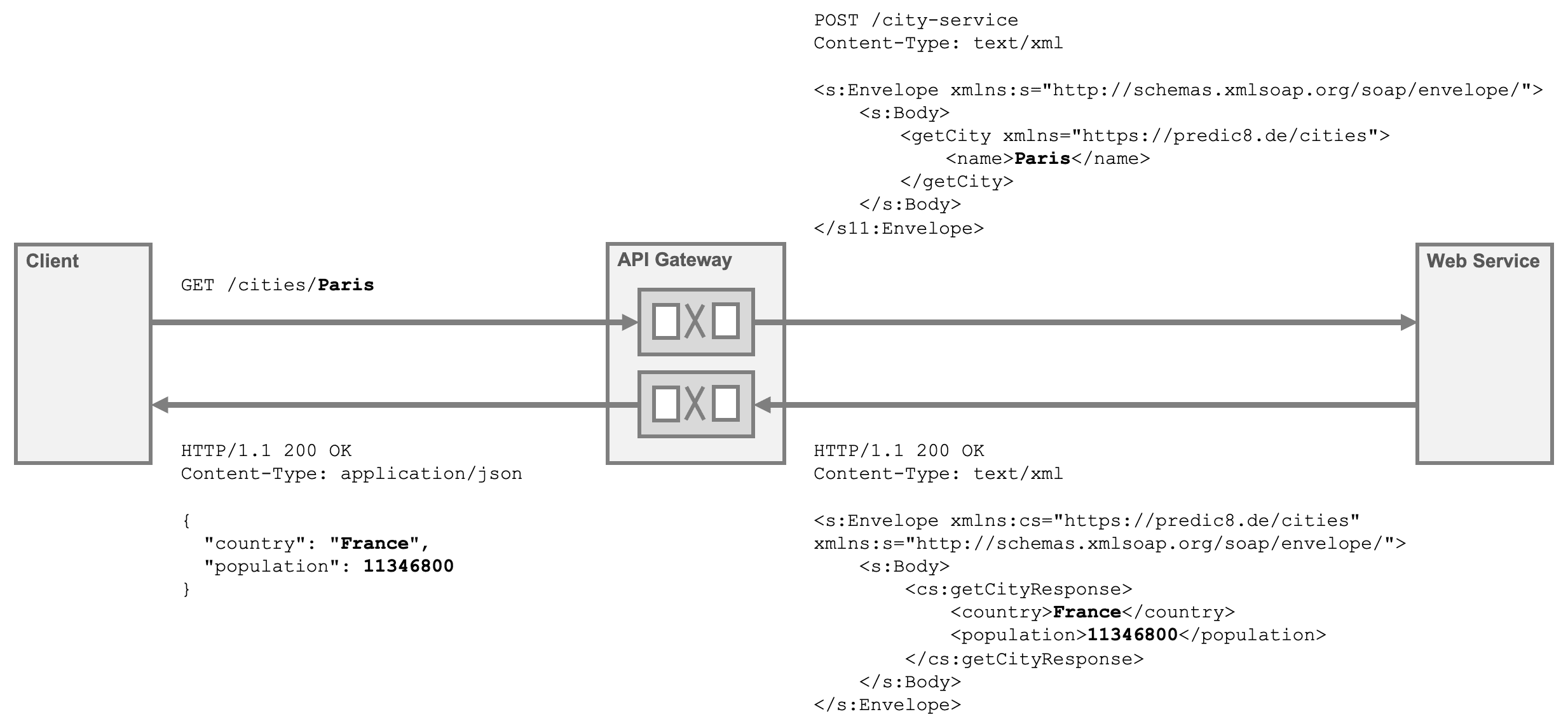
To set up the REST-to-SOAP converter, define the following API:
api:
  port: 2000
  method: GET
  path:
    uri: /cities/{city}
  flow:
    - request:
        - soapBody:
            src: |
              <getCity xmlns="https://predic8.de/cities">
                  <name>${pathParam.city}</name>
              </getCity>
        - setHeader:
            name: SOAPAction
            value: https://predic8.de/cities/get
    - response:
        - template:
            contentType: application/json
            src: |
              {
                "country": ${xpath('//country')},
                "population": ${xpath('//population')}
              }
  target:
    method: POST
    url: https://www.predic8.de/city-service
api:
  port: 2000
  method: GET
  path:
    uri: /cities/{city}
  flow:
    - request:
        - soapBody:
            src: |
              <getCity xmlns="https://predic8.de/cities">
                  <name>${pathParam.city}</name>
              </getCity>
        - setHeader:
            name: SOAPAction
            value: https://predic8.de/cities/get
    - response:
        - template:
            contentType: application/json
            src: |
              {
                "country": ${xpath('//country')},
                "population": ${xpath('//population')}
              }
  target:
    method: POST
    url: https://www.predic8.de/city-service
How to set up a REST2SOAP Fassade?
Membrane includes ready-to-run tutorial examples. You can try this setup in about 10 minutes.
- Set up Membrane
- cd tutorials/transformation
- Open 40-REST-GET-to-SOAP.yaml and follow the instructions.
You can then adapt the configuration to your own use case. Explore additional examples in the transformation folder.
Best Practices
- Create one API definition per SOAP operation to keep configurations simple and maintainable.
- Log incoming and outgoing messages at the API gateway to debug the facade.
- Maintain a collection of sample requests for testing.
Resources
- Reference: api, soapBody, template, setHeader
- WSDL of the city service